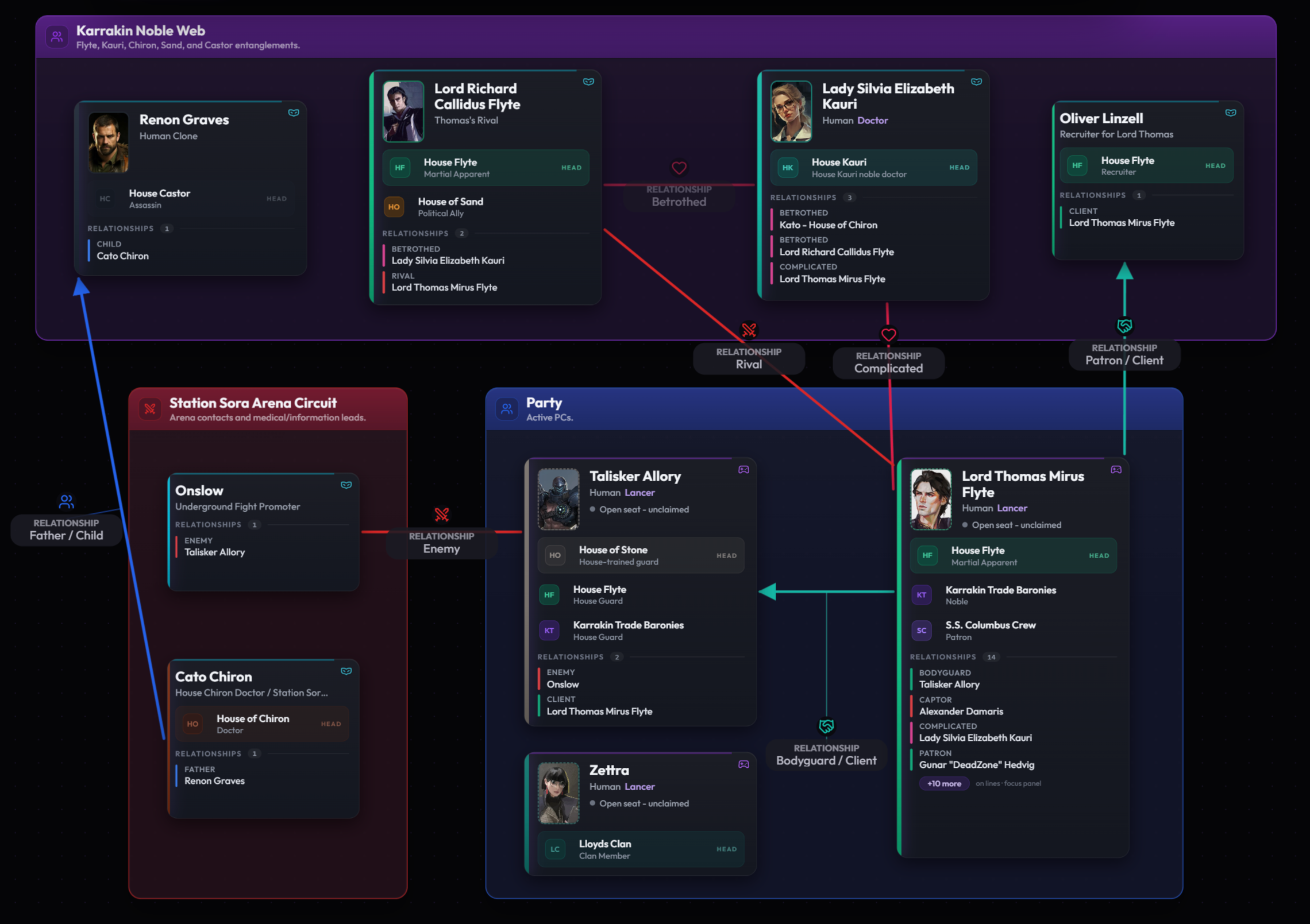


Relationship map for DMs

  1. QHQuill HarrowfenCharacter / Archivist, Rumerton
    AllySocial / Mutual
    CVCass VaneCharacter / Party rogue

    From / Trusts Cass to carry a sealed letter without asking.

    To / Counts Quill as the reason the party still gets paid.

    ActiveKnown to party
  2. CVCass VaneCharacter / Party rogue
    SuspectsConflict / One way
    FMFactor MadricCharacter / Trade factor, Mireport

    From / Does not believe Madric is a retired courier.

    ActiveKnown to party
  3. FMFactor MadricCharacter / Trade factor, Mireport
    ServesProfessional / One way
    TMThe Mireport FactorsFaction

    From / Works the Mireport docks as a named factor.

    ActiveKnown to party
  4. FMFactor MadricCharacter / Trade factor, Mireport
    BetrayerConflict / Asymmetric
    QHQuill HarrowfenCharacter / Archivist, Rumerton

    From / Shapes every report to mislead Quill about the relief coin.

    To / Reads Madric as a reformed courier who owes her.

    SecretDM only

Map relationships by what they owe, fear, or hide.

See how Multiloop holds a live relationship map: characters and factions as nodes, typed edges between them, a Known-to-the-party flag that gates what your players see, and a short perspective line on each side of the edge.

The preview below mirrors the relationship manager: source, type, target, perspectives, status, and whether the whole edge is known to the party.

One edge, as a record

What one edge holds in Multiloop

Every edge in the preview is a relationship record on your campaign. Here is the shape of one of them.

From
Quill Harrowfen
To
Cass Vane
Relationship type
Ally (seeded template, social category)
Mode
Mutual
Status
Active
Known to the party
Yes. Appears in the campaign share view by default.
From perspective
Trusts Cass to carry a sealed letter without asking.
To perspective
Counts Quill as the reason the party still gets paid.

Custom label is an optional override a DM can use for a tie the seeded catalogue does not name. Description is a longer plain-text field stored on the same record. Mode and Category are carried by the Relationship type, not stored as separate fields on the record; a record rendered as Mutual is one that points at a Mutual type like Ally.

The relationship record

What a relationship record holds.

Four groups. Who it connects. What type of tie it is. How the tie is going, and who can see it. What each side would say about it.

Group

Who

Who the edge connects. The source is always a character; the target can be another character or a faction.

  1. From

    Source character. Always a character in Multiloop.

    Example / Quill Harrowfen.

  2. To

    Another character, or a faction. One or the other, not both.

    Example / Cass Vane. Or: The Mireport Factors.

Group

Type

What the edge is. A Multiloop relationship record carries one type plus optional structural metadata.

  1. Relationship type

    Pick one from the seeded catalogue. Seeded types span five categories: Family, Professional, Romantic, Conflict, Social.

    Example / Ally. Mentor. Enemy. Fears. Owes debt to. Secretly loves.

  2. Custom label

    Optional override. Use only when the seeded catalogue does not name the tie. Saves on the same record, no schema change needed.

    Example / Co-conspirator. Broker. Handler. Former mentor.

  3. Mode

    The relationship type carries the mode. The record inherits whichever mode the type declares: Mutual (both sides share one read), Asymmetric (each side has a named perspective), or One way (only the source side carries the feeling). Picking a different type is how you change a record from Mutual to Asymmetric.

    Example / Ally is a Mutual type. Betrayer / Betrayed is an Asymmetric pair. Suspects is a One way type.

  4. Category

    Also carried by the relationship type, not stored on the record. Drives chip color in the Canvas graph and in the Relationships tab; changing the type is how you move a record between categories.

    Example / Family, Professional, Romantic, Conflict, Social.

Group

State

How the tie is going, and who can see it. Status uses four Multiloop values; Known to the party is a whole-record flag.

  1. Status

    Active, Complicated, Ended, or Secret. The share view treats a Secret edge the same as any other until you mark Known to the party = No.

    Example / Active for a running bond. Complicated after a reveal lands. Ended after a public break.

  2. Known to the party

    Whole-record visibility. Yes means the edge appears on the campaign share view by default. No keeps it out of the default view.

    Example / Flip to No the moment a tie becomes a reveal you are holding.

Group

Perspective

One short line from each side, written in the voice of that character. Carried on the record; travels with it when the record is shared.

  1. From perspective

    Short line in the source's voice.

    Example / Trusts the party to deliver the sealed letter unopened.

  2. To perspective

    Short line in the target's voice. Blank on a one-way edge.

    Example / Counts Quill as the reason the party still gets paid.

  3. Description

    Plain text on the same record. Longer context, reveal history, or notes a DM wants attached to the tie itself.

    Example / Sealed letter delivered in session 11; Quill now treats the party as named agents.

Modes / three shapes

Mutual, asymmetric, or one way.

A relationship record carries one mode. The mode decides whether both sides share one read or each side has a named perspective.

  • Mutual

    Both sides share one read of the tie. Renders as a bidirectional edge on the graph.

    Seeded examples / Ally, Friend, Rival, Sibling, Spouse.

  • Asymmetric

    Each side has a named perspective. The seeded catalogue pairs a name with its inverse.

    Seeded examples / Mentor / Student. Betrayer / Betrayed. Protector / Protected.

  • One way

    Only the source carries the feeling. The target may not know the tie exists.

    Seeded examples / Fears. Suspects. Admires. Secretly loves. Owes debt to.

Two worked records

One Player view. One DM only.

Two edges from the preview above, rendered as the records Multiloop actually stores.

Player view record

Quill and Cass

A Player-view Ally edge. Appears on the campaign share view by default.

Relationship type
Ally. Seeded template in the Social category.
Mode
Mutual.
Status
Active.
Known to the party
Yes. Player view.
From perspective
Trusts the party to deliver the sealed letter unopened.
To perspective
Counts Quill as the reason the party still gets paid.
Description
Sealed letter delivered in session 11; Quill now treats the party as named agents of her circle.

Any short line a player should hear lives in perspectives and description. Anything the player should not yet know lives on the related character record, in DM notes.

DM only record

Madric and Quill

A DM-only Betrayer edge. Kept out of the share view until the reveal lands.

Relationship type
Betrayer. Seeded asymmetric template in the Conflict category (pairs with Betrayed).
Mode
Asymmetric.
Status
Secret.
Known to the party
No. DM only.
From perspective
Shapes every report to mislead Quill about the relief coin.
To perspective
Reads Madric as a reformed courier who still owes her.
Description
Adjusted reports after the Saltwright roster burn in session 9. Unwinds the moment Quill re-reads an old ledger.

Flip Known to the party from No to Yes the session the reveal actually lands. The perspectives you wrote here are what your players will read on the share view once you flip it.

Margin rule / DM prep

Keep the split in DM notes.

Multiloop does not render a two-layer "what the party believes vs what is true" view inside a single relationship. That split lives in DM notes on the related character record. The relationship itself is the edge and its type.

  1. What the party has seen

    Write one line the party could say at the table without a check. Save it into the perspective or description on the relationship.

  2. What is actually true

    Write the DM-only truth into DM notes on the related character record. Tag it so you can find it during prep.

  3. What moves next session

    Write the pressure the tie will force next session into the character DM notes, not the relationship itself.

Rhythm

Add late, update briefly, retire quiet ties.

A relationship map fails when it becomes a second campaign to run. These three rules keep it under forty records and keep every record alive.

  1. 01

    First real pressure

    Add

    Open a relationship record the first time a tie does work. Pick a type from the seeded catalogue; add a Custom label only if the catalogue does not name it. Write one perspective line on each side.

  2. 02

    Only in the session that moved it

    Update

    Touch a record only when the tie shifted. Update perspectives or description; change the Relationship type if the tie genuinely changed; flip Known to the party when a reveal lands.

  3. 03

    Three quiet sessions

    Retire

    Mark the record Ended or archive it after three sessions with no movement, no pending pressure, and no party-side curiosity. The map only holds relationships still doing work.

Margin rule / cut

Leave these off the map.

Every relationship record you add is one you maintain. Keep the map small by keeping these out of it.

  • Casual acquaintances with no story function. Not every meeting is a relationship record.
  • Every shopkeeper and every guard. A generic Contact with no perspective is noise.
  • Romantic subplots that never affected play. The map holds ties that moved.
  • Lore ties you wish were a connection but the party has not met yet.
  • Mechanics and numbers. Hit points, armor, and encounter math live in your rules tools, not on a relationship record.
  • Copy-pasted descriptions from bestiaries, sourcebooks, or third-party trackers.

Margin rule / write

How this fits Multiloop

Every edge in the preview is a relationship record on your campaign. The fields in the reference are the fields Multiloop actually stores.

  1. 01A relationship connects a character to another character, or a character to a faction. The record carries a Relationship type (from a seeded catalogue) or a Custom label override, a Status (Active, Complicated, Ended, Secret), a Known-to-the-party flag, plus a From perspective and a To perspective for the asymmetric case.
  2. 02Mode and Category live on the relationship type, not on the record. Picking Ally makes the record render as Mutual in the Social category; picking Betrayer makes it Asymmetric in Conflict; picking Suspects makes it One way in Conflict. Change the type to change the mode or category.
  3. 03The Canvas graph and the Relationships tab render the same records. Category color on an edge comes from the seeded type; a Conflict edge reads red, a Social edge reads purple, a Professional edge reads green.
  4. 04Session notes and shared player notes drive Analysis. It can propose new relationship records, and when the notes show an existing tie changed, it can propose an update to that relationship label, description, or Known-to-the-party state for you to approve.

Known to the party is a whole-record flag. A relationship marked Known can appear in the campaign share view; a relationship not marked Known stays out of the default view. The share view also has an opt-in section you can enable to include normally-hidden relationships when you want players to see them. Perspectives are stored on the record and travel with it when the record is shared. Multiloop does not mask fields inside a single relationship; a tie is either player-visible or DM-only.

Next prep opens with approved relationship additions or updates in place, the perspectives you wrote last session ready to read, and the ties you set to Secret or Not-known-to-the-party still quietly off the default share view.

Copy one record into your notes app.

Markdown / plain text

This mirrors the record Multiloop stores. One block per relationship. Select and copy.

# Relationship: [From] -> [To]

Who
   From:                     (always a character)
   To:                       (another character OR a faction)

Type
   Relationship type:        Ally | Friend | Mentor | Enemy | Rival | Fears |
                             Owes debt to | Secretly loves | Serves | ...
   Custom label:             (blank unless the seeded type does not fit)
   Mode:                     (inherited from the type: Mutual, Asymmetric, One way)
   Category:                 (inherited from the type: Family, Professional,
                             Romantic, Conflict, Social)

State
   Status:                   Active | Complicated | Ended | Secret
   Known to the party:       Yes (Player view) | No (DM only)

Perspective
   From perspective:
   To perspective:           (blank for a One way edge)
   Description:

FAQ

Before you open your first record.

How is this different from a social network diagram or a family tree?
A social network shows who knows whom. A family tree shows who is related. A Multiloop relationship map tracks what the pair is doing with the tie, using a seeded type from the Family, Professional, Romantic, Conflict, or Social categories, plus a short perspective from each side.
Do I have to draw a graph?
No. Multiloop renders the graph for you in Canvas and lists the same records in the Relationships tab. The structure is the relationship records themselves; the graph is a view over them.
How many relationships should I keep?
As many as are still doing story work. When a record has gone three sessions with no movement, no pending pressure, and no party-side curiosity, mark it Ended or archive it. Most running campaigns settle at twenty to forty active relationships across the whole cast.
What if both characters see the same tie differently?
Set Mode to Asymmetric. Write a short line into From perspective and a different short line into To perspective. The seeded catalogue also includes paired types such as Mentor / Student and Betrayer / Betrayed that carry the asymmetric inverse name automatically.
Does this work outside D&D?
Yes. The structure is system-agnostic. It works for Pathfinder, Call of Cthulhu, Blades in the Dark, and most campaign-based tabletop RPGs that run on relationships rather than mechanics.
Can I share the relationship map with my players?
Yes. The campaign share view renders relationships marked Known to the party and hides the rest. The share view also has an opt-in section that can include normally-hidden relationships when you want players to see them. Perspectives travel with the record; Multiloop does not mask fields inside a single record.
Does Analysis figure out who is lying?
No. Analysis reads session notes and shared player notes, then proposes reviewable relationship additions or updates when a tie changes in play. It does not infer secrets, invent hidden edges, or decide hidden truths for you. Any DM-only truth you want the product to hold, you write onto the record yourself.

Get Early Access

Keep the edges in motion after the game.

Multiloop holds each relationship as a record on your campaign, carries a seeded type catalogue plus Custom label overrides, and turns DM and shared player notes into reviewable relationship additions or supported updates.