

Introducing Campaign Notebook
Catch a thought while you’re writing, without leaving the campaign page. Keep private notes and to-dos for later.
Oct 21, 2026
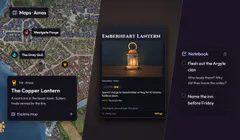
“Flesh out the Argyle clan before Friday.” You don’t have time to write their history now. You just need to remember that it still needs doing.
Campaign Notebook lets DMs catch that thought while they’re writing. You don’t have to leave the page, find the Notebook, then work out where you were when you come back.
Make a note without leaving your writing
In a campaign editor that supports @ references, type @ and find the person, place or other record you’re thinking about. The small notebook-and-pencil button beside it opens a private entry about that record.
Write the thought, choose Note or To-do, and save. The entry keeps its reference and the context of where you were writing. Closing the entry returns you to your original editor; your original writing is unchanged.
It doesn’t need a reference. If the @ search has no matching record, its notebook button can capture an unlinked thought instead. You can add a reference later.
The campaign header’s Notebook button is another way in when you’re moving between pages. Use the full Notebook page when you want to search, organise or work through what you’ve collected.
Keep the thought before it disappears
A note can be as short as a sentence. You don’t have to decide where the finished lore will live, write a full description, or turn a half-formed idea into a complete Location before saving it.
Leave yourself a way back
Attach a campaign reference when the thought belongs to something specific. The next time you open the entry, you have a route back to that part of the campaign.
“Flesh out the Argyle clan” becomes much more useful with the clan’s reference beside it. You can get back to the work without first working out what your earlier self was looking at.
Notes when you’re thinking, to-dos when you’re doing
Keep an idea as a note when it just needs remembering. Use a to-do when you want a clear thing to come back and finish. The distinction is small on purpose: both start with the words you type.
Complete a to-do when you’ve dealt with it. Done keeps the completed entries available, so checking something off doesn’t mean losing it. You can find what you finished when you need the context again.
Archive entries that no longer belong in your working list. Search is there as your Notebook fills up, and the entry counts help you see where things are without opening every tab.
Your working space
Notebook entries are private. They give you somewhere to be unfinished: a reminder, a name you might use, a question about a character, or a thought that still needs a better ending.
When an idea is ready, put the finished information in the relevant part of your campaign. Notebook can stay the place you keep the next loose end.
Try it the next time you catch yourself thinking “I’ll remember to do that later.” Open the notebook button, leave yourself a sentence, and give later-you something to work with.
Open your campaigns to find Notebook.
Have an idea for Multiloop, or spotted a problem?
Sign in to share feedback