

Fixes & improvements: October 2026
A roundup of recent improvements across Multiloop: editing, navigation, character details, news, feedback and more.
Oct 9, 2026
Alongside the new features, we’ve made a batch of smaller improvements across Multiloop. Here’s what’s changed, from editing and Maps to character details, reading the news and sending feedback.
We’ll post these roundups whenever there’s enough useful work to share, alongside the deeper feature walkthroughs.
Editing and saving
- Close and carry on. Finish editing a PC, NPC or Location without waiting around for the editor to close. Your changes finish saving in the background.
- Location autosave. Changes to existing Locations save automatically as you work.
- Edit without losing your place. Open a Location’s full editor directly from its map and stay on that map.
- More consistent forms. Related details are grouped together, with optional Location sections you can fold away.
- Private notes that stand out. DM notes are easier to spot in Location and item editors.
Maps and moving around
- Your map settings follow you. Choices for pins, names and hidden-pin badges carry across when you sign in on another device.
- A quieter default. Hidden-pin badges start off. Turn them on when you need to check them.
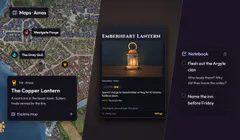
- Clearer destinations. Explore map has its own action beside Details. Places within lists nested Locations separately.
- Pop-ups you can move. Drag a selected Location’s card out of the way without changing the pin’s position.
- More room for your map. Tall and wide maps keep their original proportions, with more space for the image.
- Consistent corner controls. Maps and Canvas share a compact horizontal set of zoom, Fit and fullscreen controls.
Campaign organisation
- Notebook search where you expect it. Find existing entries above the new-entry area.
- Counts on Notebook tabs. See how many to-dos and completed entries are waiting without opening each tab.
- Story Arc linking. The shared picker opens the right records on desktop and phone, including characters.
- Safer editing flow. Editing an arc’s basic details keeps newer writing in its story sections intact.
- A clearer session picker. The Story Arc menu opens above the session controls and uses the current Light or Dark theme.
- Cleaner first visits. Empty Notebook and Inventory pages focus on adding the first entry, before presenting search and filters.
- Room to write on item cards. Write directly on a card, or use Expand editor for longer descriptions.
- Clearer Handout labels. See what a handout is and whether players can see it, without confusing the two.
Reading, images and character details
- Formatted descriptions. Descriptions retain their formatting in the updated character, Location and campaign share views.
- Tidier image placeholders. A missing image leaves a suitable placeholder while the rest of the card stays readable.
- Home backgrounds. Section colours fill the width of the page.
- Clearer tool previews. Public tool pages show the intended illustrations so you can see what each feature does.
- Smoother Canvas editing. Fewer interruptions when editing characters on image-heavy boards.
- Linked character details. Linked characters keep their descriptions up to date more consistently.
- Faction links. Returning to a linked character keeps their existing faction links in place.
- Straight to sharing. Open Sharing directly from your campaign’s shortcut.
Reading and feedback
- The same theme when you read the news. Signed-in news follows your saved account choice, with clearer text and controls in Light mode.
- Feedback from the news. Open the feedback form while reading an update, as well as from your campaign.
- A quieter feedback button. A single introduction pulse helps you find it, then it stays still as you move between pages.
- Clear maintenance messages. The notice changes when maintenance begins, and estimated times use your local time.
Forms and photos
- Password-manager support. Login and password fields work more consistently with autofill.
- Easier code entry. Paste a verification code without having to remove its spaces or separators first.
- Photo uploads. Larger photos are prepared for upload before they are sent, including from your phone’s browser.
Tell us what still feels awkward
Send feedback if you spot something. Tell us where you were, what you clicked and what you expected. A screenshot is useful for a layout problem; a sentence is enough to point us towards an awkward workflow. Sign in to send it and keep track of our replies.
And if something works but takes too many steps, tell us about that too. Plenty of the improvements above started there.
Have an idea for Multiloop, or spotted a problem?
Sign in to share feedback